Your voice,
transcribed.

Record, transcribe, and summarize with AI. Works offline with Apple Speech or online for enhanced accuracy.

Download on the App Store
Free to use
Works offline
iOS 18+
VoiceNote App

Powerful Features

Everything you need to capture, transcribe, and organize your voice notes.

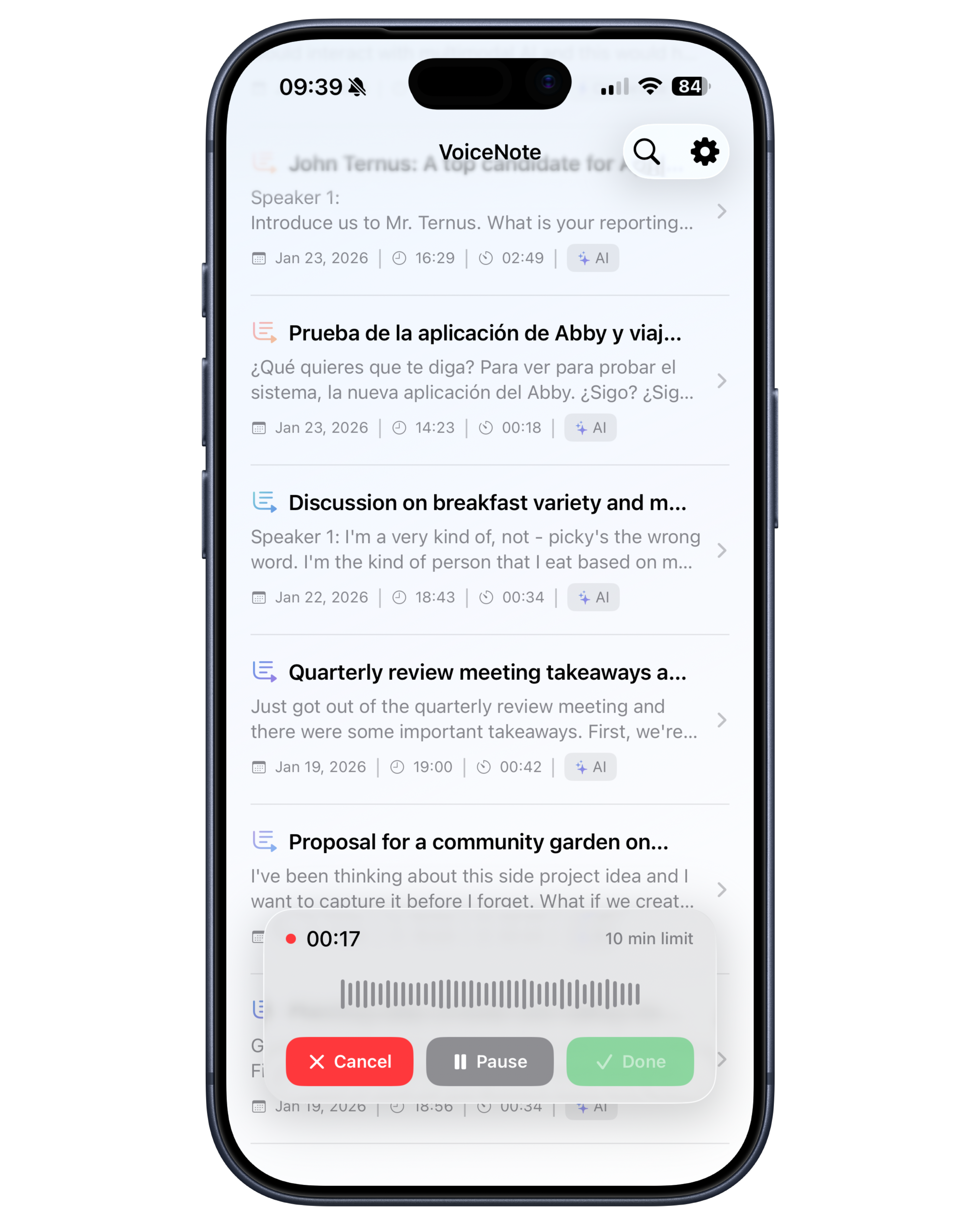
One-Tap Recording

Start recording instantly with a single tap. High-quality audio capture optimized for voice.

Import Audio Files

Import and transcribe existing audio files from your device or other apps.

Offline Transcription

Use Apple's on-device speech recognition to transcribe without an internet connection.

AI-Powered Transcription

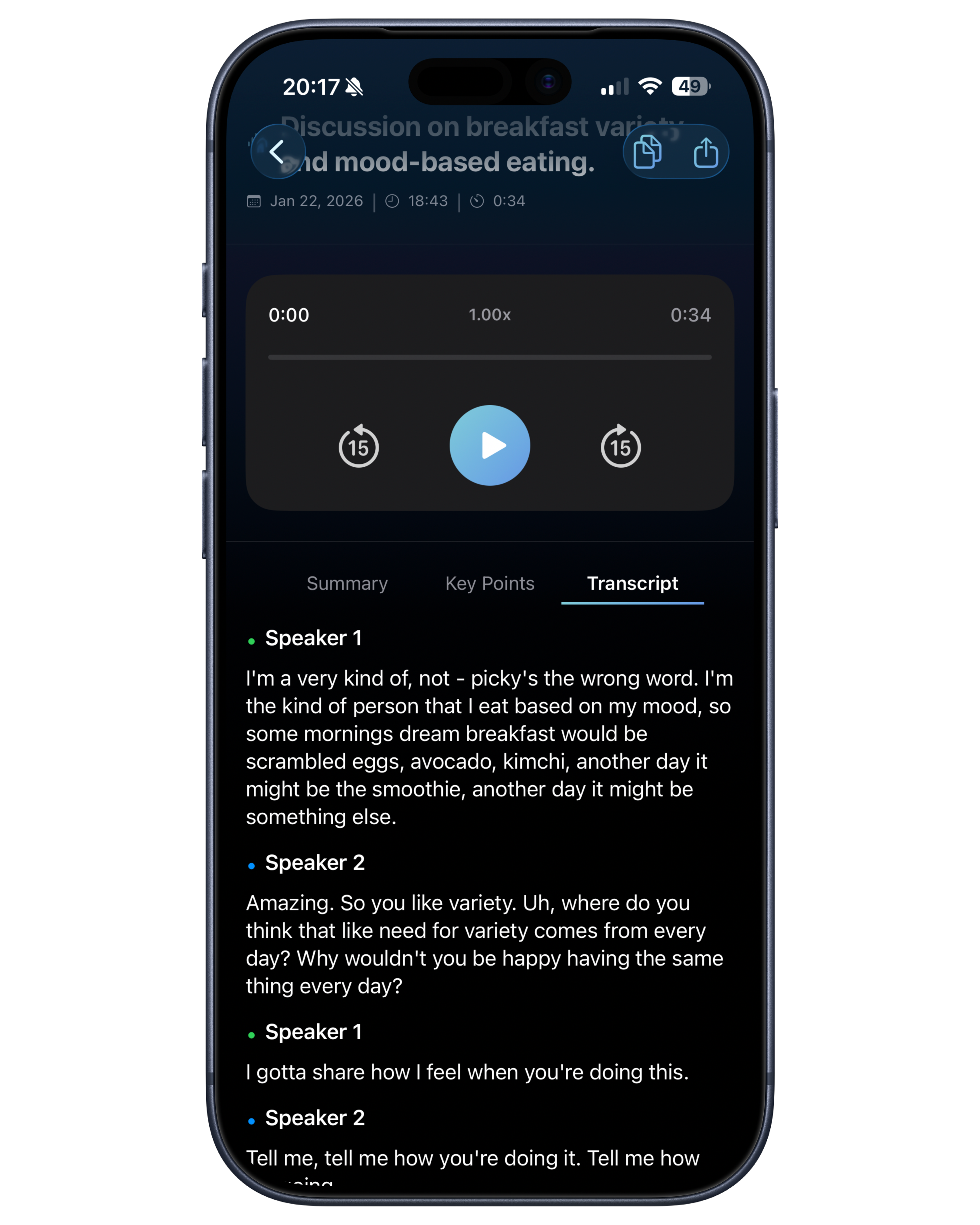
Enhanced accuracy with AI transcription for summaries, key points, and speaker detection.

Translation

Translate your transcriptions to multiple languages with AI-powered translation (Pro).

Multi-Speaker Detection

Automatically identifies and labels different speakers in your recordings (Pro).

Smart Summaries

Get AI-generated summaries and key points from your transcribed audio.

iPad Support

Seamless experience across iPhone and iPad with optimized layouts for larger screens.

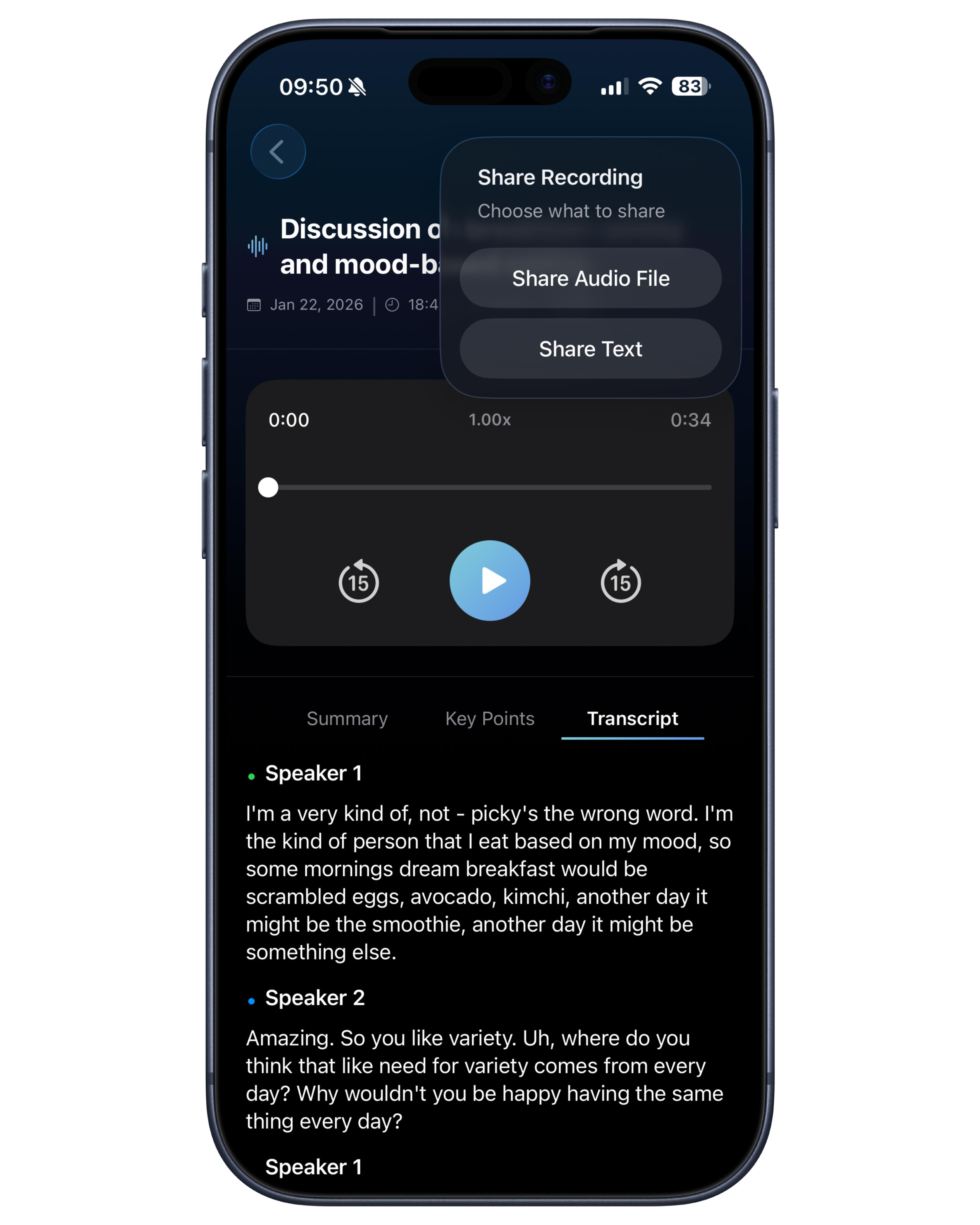
Easy Export

Share audio files or transcribed text in multiple formats instantly.

Two Ways to Transcribe

Choose the transcription method that works best for your needs.

Offline Mode

Powered by Apple Speech Recognition. Transcribe anywhere without an internet connection.

  • No internet required
  • Privacy-first processing
AI

AI Mode

Enhanced accuracy with AI transcription. Get summaries, key points, and multi-speaker detection.

  • Higher accuracy
  • Smart summaries & key points
  • Multi-speaker detection (Pro)

Simple Pricing

Start free, upgrade when you need more.

Free

Perfect for getting started

  • 30 minutes of AI transcription per month
  • Full transcription and summary features

See it in action

A clean, intuitive interface designed for quick capture and easy review.

Recording

Recording

Transcription

Transcription

Export

Export

Frequently Asked Questions

Everything you need to know about VoiceNote.

How does offline transcription work?

Offline mode uses Apple's on-device Speech Recognition. All processing happens locally on your device - no internet required and your recordings never leave your device. For best results, select your recording language in the transcription settings when choosing the Apple Speech model.

What happens if AI mode is unavailable?

If the AI transcription service (Gemini) is temporarily unavailable, VoiceNote automatically falls back to Apple's on-device transcription so you can still get your text without interruption.

What's the recording time limit?

Each individual recording can be up to 10 minutes long. For AI transcription, the free plan includes 30 minutes per month, and Pro gives you 5 hours (300 minutes) per month.

Do all features work in offline mode?

Offline mode (Apple Speech) provides accurate transcription. However, advanced features like AI-generated key points, summaries, and multi-speaker detection require AI mode as they use cloud-based processing.

How do I get the best transcription accuracy?

For Apple's on-device transcription, make sure to select the correct language in settings when choosing the transcription model. For AI mode, speak clearly and minimize background noise for optimal results.

Can I switch between offline and AI mode?

Yes! You can choose your preferred transcription mode for each recording. Use offline mode for complete privacy and AI mode when you need advanced features like summaries and key points.

How do I export my recordings and transcriptions?

To export text: Make sure you're viewing the section you want to export (Summary, Key Points, or Transcription), then tap the export button. It will export the text from whichever tab you're currently viewing.

To export audio: You can export the audio file from any tab - just tap the share button and select "Share Audio File."

How does multi-speaker detection work?

Multi-speaker detection is a Pro feature (currently in beta) that automatically identifies and labels different speakers in your recordings. It can currently detect up to 2 speakers. If more than 2 people speak in a recording, the transcription will label them as "Speaker 1" and "Speaker 2" - additional speakers will be grouped under these two labels. This feature requires AI mode.

VoiceNote

Ready to get started?

Download VoiceNote today and transform how you capture and organize your thoughts.

Download on the App Store